Picking an intercom comes down to one question: do you want to run new cables through the walls, or not? That’s really the whole choice. Everything else — features, reliability, price — flows from that one decision. This guide walks you through both options so you can figure out which one fits your building.
The Short Answer
If you’re in a finished building and don’t want to tear open walls, go wireless. If you’re building new or already have working intercom wiring, wired is still the most reliable option. For most NYC apartments and condos retrofitting an old buzzer system, wireless IP intercoms are the right call nine times out of ten.
What an Intercom Actually Does
An intercom lets you see and talk to whoever’s at your door, and unlock it for them, without walking down to the lobby. That’s it. Modern systems add video, phone apps, access logs, key fobs, and integration with your cameras — but the core job is the same as it was in the 1970s.
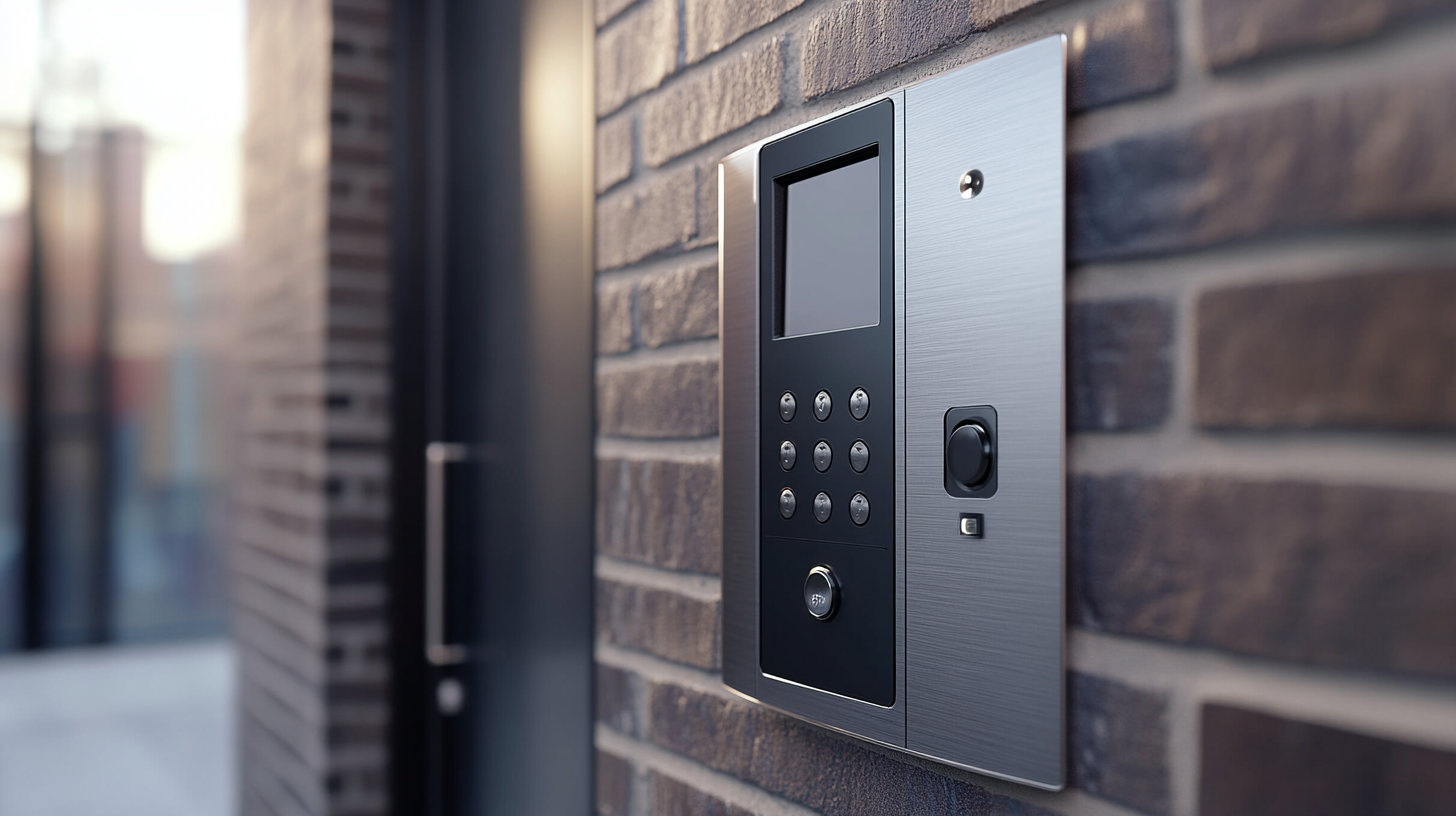
A basic setup has two parts. Outside there’s a panel with a call button, a microphone, and usually a camera. Inside there’s a handset, a screen on the wall, or an app on your phone. Someone buzzes, you see who it is, you press a button, the door opens.
How Wired Intercoms Work
A wired intercom sends the signal through actual copper cable that runs from the front door to every apartment in the building. When someone presses the button downstairs, the signal travels up the wire to your handset. You pick up, talk to them, and hit the unlock button — which sends another signal back down to the electric lock at the door.
These systems are rock solid. The signal has nowhere to go except along the cable, so Wi-Fi problems, network outages, and dead internet don’t affect them. A wired intercom installed in 1985 that still works today is a common sight in NYC.
The problem is installation. Running new cable to every unit in a finished building means opening walls, ceilings, and conduits. In a 6-story Brooklyn walkup with 12 units, that’s a week of work and a serious mess. In a 40-unit Manhattan co-op, it’s essentially impossible without a full renovation.
Wired intercoms make sense in two cases: new construction where cables can be pulled before the walls close up, and buildings that already have working wiring you can reuse.
How Wireless Intercoms Work
Wireless doesn’t literally mean “no wires.” The entry panel at the door still needs power, and usually still needs one cable to the lock. What “wireless” means is that the panel doesn’t need a dedicated cable running to every individual apartment.
Instead, the panel connects to the building’s internet — through Wi-Fi, an Ethernet cable, or a cellular SIM card. When someone presses the button, the panel makes a call over the internet to the resident’s phone or tablet. The resident answers through an app, sees the visitor on video, and taps unlock. The door opens.
That one change — no cable to each unit — is why wireless is so much cheaper to install in existing buildings. You’re not opening walls on every floor. You’re just mounting a new panel at the door and asking each resident to download an app.
Most wireless systems also store everything in the cloud. Call logs, snapshots of who visited, access permissions — the property manager can see and manage it all from a laptop without being on site.
Types of Wireless Intercoms
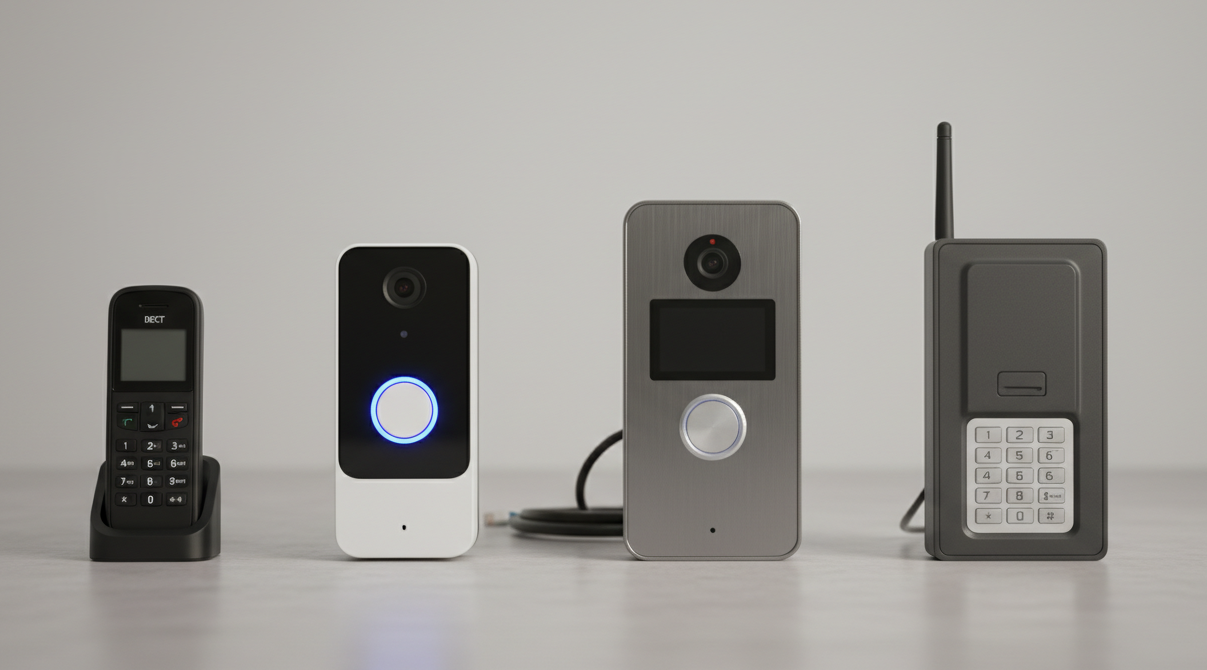
Not all wireless systems are the same. Four main flavors, each with a use case.
DECT is the same radio tech cordless home phones use. It operates on a dedicated frequency that doesn’t fight with your Wi-Fi. The entry panel talks directly to handsets inside the building, no internet required. DECT is cheap, reliable, and good for single-family homes or small offices where you don’t care about answering the door from your phone at work. Range is limited — usually 50 to 150 feet depending on walls.
Wi-Fi is the most common choice for retrofits. The panel connects to your building’s existing Wi-Fi and calls go to a smartphone app. You get video, remote unlock, access logs, and integration with smart locks and cameras. The catch: it’s only as good as your Wi-Fi. A spotty router in the basement means a spotty intercom. Brands like Ring and Nest work this way for homes.
IP/PoE (Power over Ethernet — one cable handles both data and power) is the pro choice for multi-unit buildings. The panel runs over a proper network cable instead of Wi-Fi, so the connection is stable even if someone’s streaming Netflix in the building. Residents still get the smartphone app. ButterflyMX and Aiphone IX systems are what you’ll see on most new NYC condo installs.
Cellular (4G/LTE) uses a SIM card, just like your phone. The panel doesn’t need any internet from the building at all — it uses mobile data. This is what gets installed at parking gates, construction sites, and remote properties where there’s no Wi-Fi to connect to. You pay a monthly data plan (usually $15–30), but you skip all the building network headaches.
Wired vs Wireless: Side by Side
| Wired System | Wireless System | |
|---|---|---|
| How the signal travels | Copper cable to each unit | Wi-Fi, Ethernet, DECT, or cellular |
| How hard it is to install | Hard — open walls on every floor | Easier — plug into existing network |
| Works in finished buildings? | Rough — disruptive and expensive | Yes — that’s the main point |
| Reliability | Very high — nothing to go down | Depends on your Wi-Fi or cell signal |
| Answer from your phone at work? | No, not without extra hardware | Yes, built in |
| Adding more units later | Run more cable | Add them in the app |
| Upfront cost | Higher (labor) | Lower |
| Monthly cost | None | Cloud plan or cell data, $10–30 |
| Smart home integration | Rare | Standard |
| Best fit | New construction, existing wiring | Retrofits, apartments, remote buildings |
Neither is “better” in the abstract. Wired wins on reliability and no monthly fees. Wireless wins on cost, convenience, and features. Pick based on what your building actually is.
Which System Fits Your Property
The right answer depends on four things: type of building, number of entry points, whether there’s existing wiring, and whether residents want to answer the door from their phones.
Single-family home. A Wi-Fi video doorbell (Ring, Nest) or a DECT intercom is almost always right. No new cable, setup in an afternoon, video on your phone. Wired only makes sense if the house is being built or gut-renovated.
Apartment or condo in a finished building. This is the classic wireless-IP use case. Running new cable to every unit in a 1920s Brooklyn walkup is a nightmare. A ButterflyMX or Aiphone IX panel replaces the old buzzer, residents get an app, and the whole install is usually done in two days.
Small office with 1–3 entries. Wi-Fi or PoE works great. Staff get visitor calls on their phones or a tablet at reception. No handsets at every desk.
Multi-tenant residential with 10+ units. You need centralized management — one dashboard where the super or property manager adds new tenants, removes old ones, and checks who buzzed in at 3 a.m. IP/PoE systems with cloud dashboards are standard here.
Building with existing intercom wiring that still works. Don’t throw it out. You can often reuse the cable for power and run a new modern panel with video and app access on top. You get the reliability of the wired backbone and the features of a wireless system for a fraction of the cost of either done from scratch.
Frequently Asked Questions
Can a wireless intercom work without internet?
Depends on the type. DECT doesn’t need internet at all — it runs on its own radio frequency. Cellular intercoms use mobile data, so your building’s internet outage doesn’t matter. Wi-Fi and IP intercoms need internet for the app and remote features, though many keep working locally inside the building if the internet drops.
How many units can a wireless system handle?
Modern IP and Wi-Fi systems handle hundreds or even thousands of units from a single panel — each resident just gets the app on their phone. DECT is more limited, typically 6 to 30 handsets per base station. For anything over 20 units, go IP.
Can a wireless intercom unlock the door?
Yes. The panel at the door wires directly to the electric lock (either an electric strike that releases the latch, or a magnetic lock that holds the door shut until you cut power). When the resident taps unlock in the app, the panel triggers the lock. The wire between the panel and the lock is short — usually just inside the door frame. You’re not running cable through the whole building.
What’s the difference between a video doorbell and a video intercom?
A Ring or Nest doorbell is a consumer product for a single house. A video intercom is a purpose-built security device for multi-unit buildings — it handles dozens or hundreds of residents, integrates with access control, keeps logs, and survives being kicked by a frustrated Uber driver. Video intercoms are built tougher, weatherproofed, and designed for commercial use.
Can you upgrade an old wired intercom to wireless?
Usually, yes. A locksmith can reuse the existing cable to power a new panel, then handle communication wirelessly through the app. Residents drop the old handsets and use their phones. No new cable runs needed. Takes a site inspection first to confirm the old wiring is still good.
How much does a wireless intercom cost to install?
For a single door on a house or small office, budget $300 to $800 including hardware and labor. Multi-unit buildings vary a lot — a 12-unit Brooklyn walkup might run $2,500 to $5,000 for a full ButterflyMX install, while a 40-unit Manhattan building could be $8,000 to $15,000 depending on the number of entry points and how much integration with existing access control is needed.
Getting It Installed Right

Picking the system is the easy part. The install is where most of these setups go wrong.
A proper intercom install covers: wiring the panel to the door lock correctly (including fail-safe behavior during a fire alarm, which NYC building code requires), configuring the network for IP or Wi-Fi systems, enrolling every resident, testing every call route and every unlock, and documenting the whole setup so the next technician who touches it isn’t flying blind.
NYC multi-unit buildings have specific rules around building access and fire egress. The door has to fail open during a power outage or fire alarm — not locked shut. Getting this wrong is a code violation and a safety issue. This is why hiring someone who actually knows NYC code matters more than saving a few hundred dollars on a handyman install.
Intercom Installation in NYC
Lock and Tech USA installs wired and wireless intercoms across all five boroughs and New Jersey. We handle single-family homes, condo conversions, pre-war walkups, new commercial buildings, and everything in between. We work with ButterflyMX, Aiphone, Akuvox, Siedle, and all the major systems — so we’ll recommend whatever actually fits your building, not whatever brand we’re trying to push.