- Home
- Security System
Security System Installation in New York



Before You Sign
Since 1989, we’ve been securing homes and businesses across NYC and New Jersey with professional security solutions you can trust. Our licensed technicians provide 24/7 emergency service, using only the latest technology and backed by comprehensive warranties on all installations.


What Is a Security System?
A security system is a set of devices that watch a property, control who gets in, and report what happens to you or to a monitoring center. Most systems combine three layers: devices at doors and windows, a control unit that makes decisions, and a connection that sends alerts to a phone or a central station.
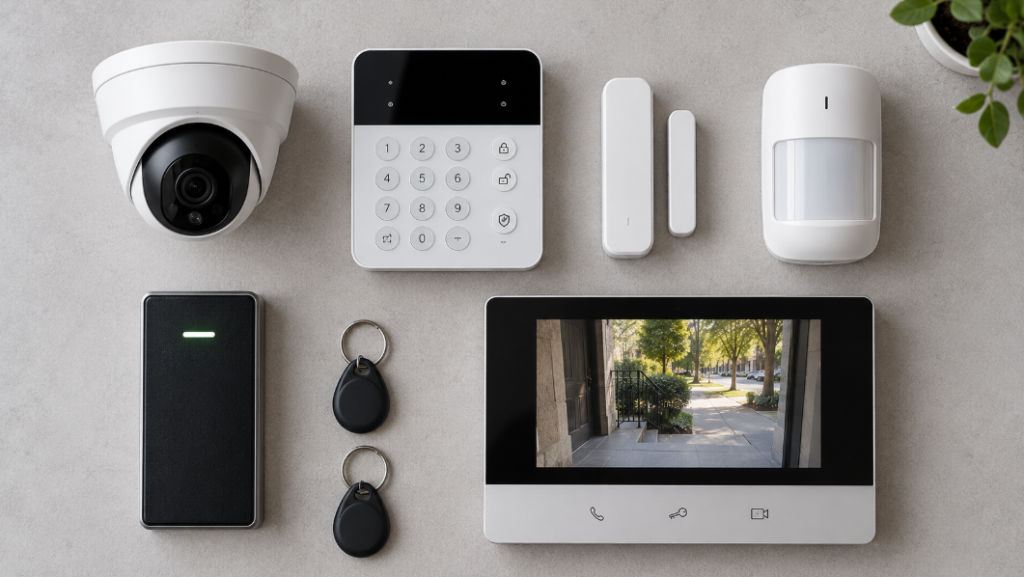
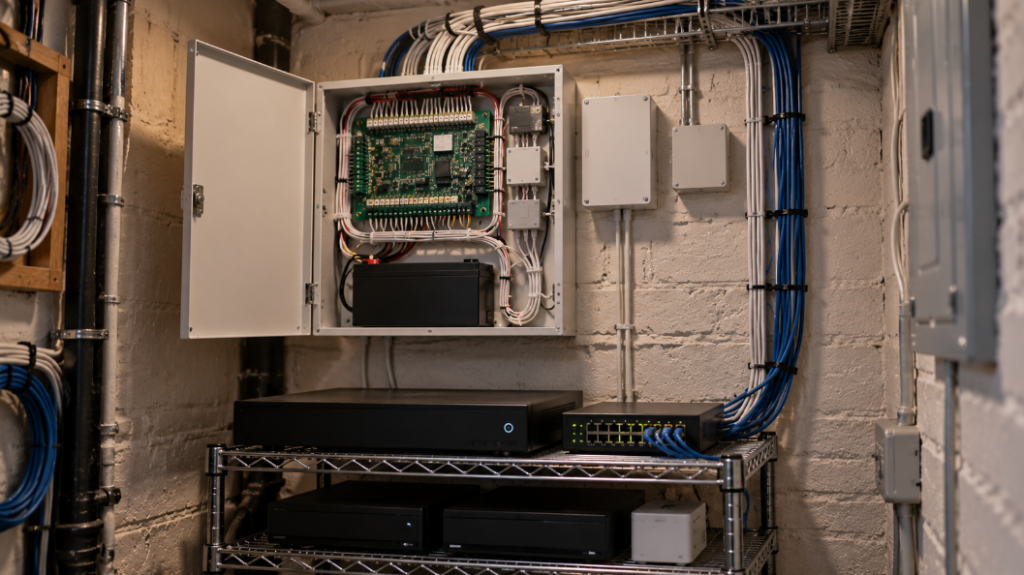
The devices include door and window contacts, motion detectors, cameras, card readers, and intercom stations. The control layer is an alarm panel, a network video recorder, or an access controller, and a typical residential panel handles 8 to 48 zones. Security systems installation ties these pieces together so one event, such as a door forced open, can trigger a siren, a camera clip, and a phone alert at the same time.
How Security System Installation Works
Professional security system installation follows the same order on every job, whether the property is a studio apartment or a warehouse. A security systems installer starts at the site, not with a price list, because the building decides what can go where.
- Walkthrough: a technician checks every entry point, the existing wiring, power, and the path back to a closet or panel location.
- System design: the plan lists each device by location and model, plus the recorder, controller, or panel it connects to.
- Contract and approvals: you sign a written contract before work starts, and co-op or building management approval is arranged when the building requires it.
- Installation: cable runs, device mounting, and panel or recorder setup, with wiring kept inside walls or in neat raceway where walls can’t be opened.
- Configuration and testing: every sensor, camera angle, and door is tested with you before handoff.
- Training and app setup: whoever runs the system learns to arm, disarm, add users, and review footage, and the mobile app is set up on their phone.
Security system installers differ less in equipment than in how they handle these steps, so ask each security system installation company who does the work, who supports it afterward, and how service calls are handled. Security system companies that quote without a site visit are pricing a job they haven’t seen. Our technicians handle support by phone and email from 8 a.m. to 6 p.m. on weekdays, and problems after the warranty period go through our security system repair service.
Types of Security Systems We Install
Most properties need two or three of the systems below working together, and each one has its own page with the full details.
Security cameras. Cameras cover entrances, yards, lobbies, and registers, and most record to a network video recorder with 4, 8, or 16 channels. Wired cameras run on Power over Ethernet, so one cable carries both power and video, while wireless models suit spots where cable can’t reach. Uniview is one of the brands used on these installs. See our security camera installation page for camera types and placement.
Access control. Access control replaces keys with cards, fobs, phone credentials, or PIN codes, and every door goes on a permission list you manage. Controllers come in 2, 4, 8, and 16-door sizes from brands such as Keri Systems, Rosslare, Paxton, and Brivo. The page on access control installation covers credentials, door hardware, and cloud or on-site software.
Alarm systems. An intrusion alarm uses door and window contacts, motion detectors, and glass-break sensors that report to a keypad and a panel. A siren sounds on site, and the panel can also alert your phone or a monitoring station through a cellular or internet connection. Panel options, sensor types, and wired versus wireless setups are explained on our alarm systems page.
Intercoms. Intercoms let residents or staff see and talk to visitors before releasing the door, from a lobby panel, an apartment station, or a phone app. Audio-only and video models from ABB, Aiphone, and Comelit fit buildings from two units to large lobbies. Our intercom installation page compares building and apartment options.
Biometric access control. Fingerprint and face readers replace cards on doors where a credential must never be shared, such as server rooms, pharmacies, and records rooms. They connect to the same controller as card readers, so one permission list covers both types of doors. Readers, enrollment, and privacy notices are covered on the biometric access control page.
Monitoring. A monitored system sends alarm signals to a central station that runs around the clock, where operators verify the event and dispatch police or the fire department. A cellular communicator keeps the connection alive when the internet is down. Plans and dispatch rules are explained on our security system monitoring services page.
Residential and Commercial Systems
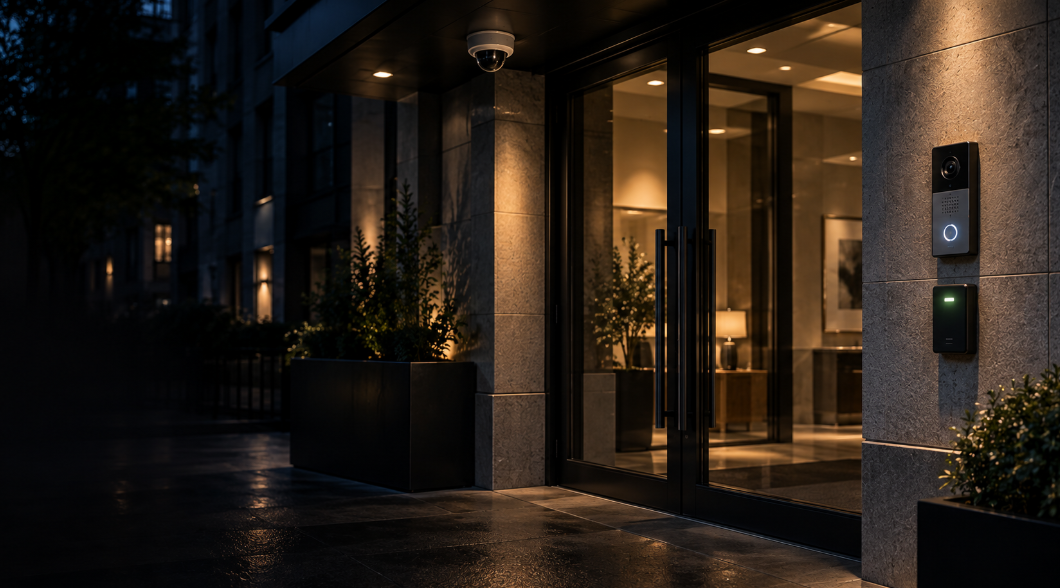
Residential and commercial systems use the same kinds of devices at a different scale and for different reasons. A one-bedroom apartment may need three to five sensors, one or two cameras, and a video doorbell, controlled from one app. An office floor or storefront often needs 8 to 16 cameras, card readers on suite doors, and an entry log that shows who came in and when.
Businesses also answer to outside rules: insurance carriers, landlords, and tenant leases may require monitored alarms or a set number of days of stored video. Multi-tenant buildings add separate schedules for each tenant and a shared lobby. Larger projects with those requirements are covered on our commercial security system installation page.
NYC Code Compliance and Permits
New York City rules shape where devices can go and how doors must behave, so they belong in the plan from the first walkthrough. Most low-voltage security work doesn’t need a Department of Buildings permit, although new electrical circuits or structural changes can trigger one.
- Magnetic locks must release for safe exit, so each one needs a request-to-exit sensor, a push-to-exit button, and a fire alarm tie-in where the building has a fire alarm system.
- Apartment entrance doors in multiple dwellings need a deadbolt that opens with a thumbturn from inside, which rules out locks that require a key on both sides.
- Co-op and condo boards usually approve anything mounted in hallways, on the roof, or on the facade, and many ask for the installer’s certificate of insurance first.
- In landmarked buildings, devices fixed to the facade may need approval from the Landmarks Preservation Commission.
- Apartment buildings that use smart access fall under the city’s Tenant Data Privacy Act, and businesses that collect biometric data from customers must post a notice at the entrance.
What Security System Installation Costs
The cost of a security system depends on five factors, and a written quote should show how each one affects the total.
- Device count: every camera, sensor, reader, and intercom station adds equipment and labor, and larger jobs spread the setup work across more devices.
- Wired or wireless: wired devices take more labor to install and run more reliably, while wireless devices go in faster in finished apartments.
- Building conditions: prewar plaster, brick walls, concrete floors, and long cable paths between floors add labor hours.
- Equipment grade: resolution, storage capacity, controller size, and brand move the hardware price.
- Ongoing services: monitoring plans and cloud software add a monthly fee on top of the installation.
Work is billed as labor plus materials and itemized by device, so you can see what adding or dropping a camera or a door would change. You sign the contract before any work starts, and larger jobs take a partial deposit up front with the balance due at completion. Every installation carries a 90-day warranty on mechanical work and a 12-month warranty on electrical components, covering parts and labor.
Where We Install Security Systems in New York
Our security system installation service covers Manhattan, Brooklyn, Queens, the Bronx, and Staten Island, and reaches 75 miles from Midtown Manhattan into Westchester, Long Island, and northern New Jersey. Service calls typically see a technician on site in 20 to 40 minutes, depending on location and traffic, and work is scheduled on weekdays from 8 a.m. to 6 p.m.
Security systems installation in the city often means working around building staff, freight elevator bookings, and board rules, so scheduling starts with the super or managing agent. Borough details are on our New York service area and Brooklyn service area pages.
Industries and Properties We Secure
Security system services are planned around the property type, because a brownstone and a warehouse need different devices in different places. Homeowners and renters usually start with cameras, an alarm, and a video doorbell, and our home security systems page covers apartments, brownstones, and houses.
Businesses add access control, longer video retention, and monitored alarms for after-hours protection. Storefronts, restaurants, offices, medical practices, schools, warehouses, and multi-tenant buildings each have their own mix of devices, described on our business security systems page.
Shared buildings sit between the two. A co-op or condo lobby usually combines a video intercom, a card or fob reader on the inner door, and cameras over the entrance and the package room, while each apartment keeps its own alarm and door camera. Planning both layers in one walkthrough avoids two sets of cable runs through the same hallways.
Security System Installation FAQ
Short answers to the questions property owners ask before booking a walkthrough.
How do I choose the right security system for my building?
Start with the entry points and what you need to know about them: who comes in, when, and what happens after hours. A walkthrough turns those answers into a device list for cameras, alarm sensors, readers, or an intercom.
What happens after the system is installed?
You get on-site training and the mobile app set up before the technician leaves. Support by phone and email runs from 8 a.m. to 6 p.m. on weekdays, and the installation warranty covers parts and labor.
How do security system installation companies price a job?
Most price it as labor plus materials, itemized by device. Ask for the device list, the cable runs, and any monthly fees in writing, and sign a contract before work starts.
Do you install systems in co-ops and condos?
Yes. The plan goes to the board or managing agent for approval before anything is mounted in common areas, and a certificate of insurance is provided when the building asks for one.
Can you add to a system another company installed?
Usually yes, when the panel, recorder, or controller is still supported by its manufacturer. The walkthrough confirms what can stay and what needs replacing before anything is quoted.
What warranty covers a new installation?
New installations carry a 90-day mechanical warranty and a 12-month electrical warranty, both covering parts and labor. Repair work is done without a warranty.
Do you cover my area?
Yes, if you are in the five boroughs or within the 75-mile service radius. Most service calls see a technician on site in 20 to 40 minutes, depending on location and traffic.
Can I control everything from one app?
Often yes, when the alarm, cameras, and access control run on compatible platforms. When they don’t, the system is set up with the fewest apps possible, and the walkthrough spells that out before you sign.
What our clients say