- Home
- Security System
- Commercial Security System Installation
Commercial Security System Installation in New York



Before You Sign
Since 1989, we’ve been securing homes and businesses across NYC and New Jersey with professional security solutions you can trust. Our licensed technicians provide 24/7 emergency service, using only the latest technology and backed by comprehensive warranties on all installations.


Business Security Systems by Property Type
- Offices run on door schedules and visitor access, so card readers at the lobby and suite doors carry most of the load.
- Warehouses need coverage at the loading dock, the yard, and the service entrance, where doors stay open through a shift.
- Retail stores watch the register, the stockroom door, and the storefront, with alarm zones split so the back office can stay armed.
- Manufacturing sites separate the production floor from the office side and restrict machinery areas to trained staff.
- Medical offices control access to record storage and medication rooms and keep camera views out of exam areas.
- Multi-tenant buildings share an entrance, so intercom and access control tie into building management while each tenant keeps its own alarm.
Commercial security system installation covers the cameras, access control, burglar alarm, and intercom on one business property, wired and programmed to run as a single system. Lock and Tech USA builds these systems for offices, warehouses, retail stores, manufacturing space, medical offices, and multi-tenant buildings across New York. One crew handles the whole build, so there is no coordinating four vendors at four different doors. Install work runs 8 a.m. to 6 p.m. on weekdays, with evening and weekend hours when a floor cannot shut down.
How to Choose a Commercial Security System Company in New York
Start with integration. Ask which company programs the cameras, the readers, and the alarm panel, and who answers the phone when a reader unlocks a door the camera never recorded. Commercial security system companies that subcontract one of those trades usually split the warranty along the same line, and the split becomes your problem at the worst possible moment.
The questions worth asking before anything gets signed:
- Who holds the admin account for the access control and camera software after handover — you or the installer?
- Is the panel or controller proprietary, meaning only that company can service it later?
- What is the response time for a failed door or a dead recorder, and is it in writing?
- Does the warranty cover parts and labor, and for how long on each part of the system?
- Can the same crew cover a second and third location on one contract and one billing account?
- Does the company carry the insurance paperwork your building management requires before a crew gets access to the freight elevator?
That last one separates local installers from national providers faster than anything else. A New York job usually means building rules, a scheduled elevator window, and conduit runs through a prewar ceiling that nobody mapped. Security system companies for business accounts that work statewide will quote the equipment correctly and then lose two weeks to a building office they have never dealt with.
Service after handover is the other split. Business security system companies that sell hardware and move on leave you managing credentials, storage settings, and firmware yourself. Ask what happens in month seven. Our own numbers on that: 20 to 40 minutes to reach most sites inside the service area, and support by phone and email during business hours.
What a Complete Commercial System Includes
A commercial security system company builds four subsystems and the connections between them. Each one below has its own page with the full detail; the summaries here are only enough to see how the pieces fit.

Cameras cover the entrances, the register or reception desk, the loading area, and the lot, recording to an on-site recorder or to cloud storage. Uniview is the line we install most on business sites. Camera count and how many days of footage you keep drive the storage build more than anything else. Coverage planning and recorder sizing are on the commercial camera system page.
Access control replaces keys at the doors that matter — the main entrance, the server room, the stockroom, the mechanical space. Readers, door controllers, electric strikes or maglocks, and an account that logs every entry by name and time. Credentials get pulled the day someone leaves. Door hardware and credential options are covered under access control for commercial buildings.
The burglar alarm covers the building after hours. Contacts on doors and windows, motion detection in open areas, glass break where there is storefront glass. Zones get split so a back office stays armed while the sales floor is open. Honeywell panels are standard on our commercial work. Sensor layout and panel setup sit on the business burglar alarm page.
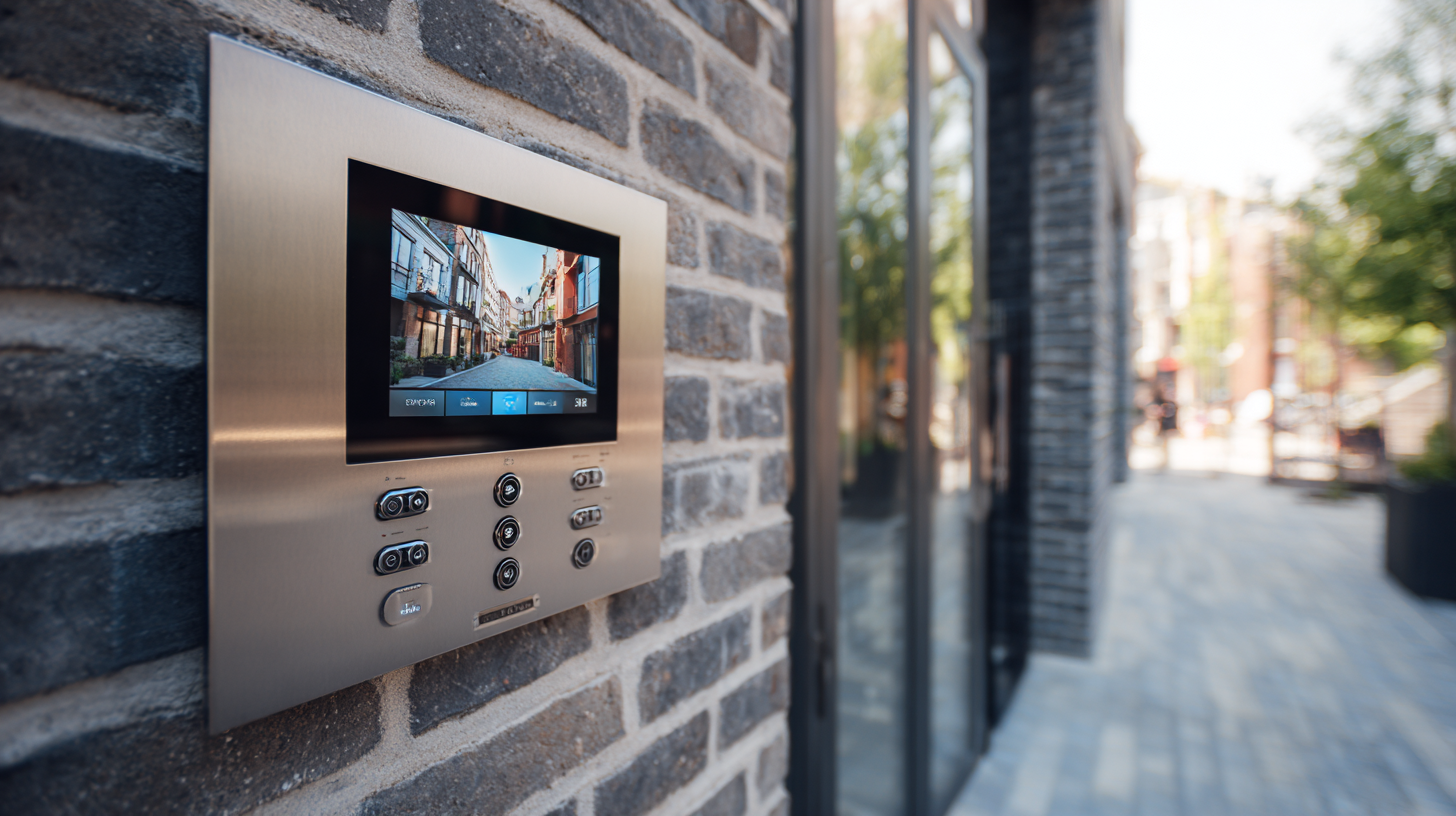
Intercoms handle the entrance when nobody is at reception. Audio or video at the door, answering stations inside, app answering for staff who move around the building. Comelit, ABB, and Aiphone are the lines we work with. Station types and wiring runs are described on the intercom installation page.
Integration is what turns four purchases into one system: a door forced open pulls the camera clip attached to it, an alarm trip logs against the credential that was last used, and staff see all of it in one app. Signals sent to a central station rather than a phone are a separate service, run through central station alarm monitoring, where the station is staffed around the clock.
Property Types We Build For
The subsystem mix changes with the building. A warehouse and a medical office can order the same equipment list and need completely different layouts.

- Offices. Readers at the lobby and suite doors, schedules that unlock during business hours and lock at 6 p.m., cameras on the elevator lobby and the file room.
- Warehouses and logistics. The loading dock and the yard carry the risk, and dock doors stay open through a shift, so motion zones get shut off during operating hours and camera coverage does the work instead.
- Retail and store chains. Register, stockroom door, storefront glass, and back office. Alarm zones split so the stockroom arms while the floor trades.
- Manufacturing. Production floor separated from the office side, restricted machinery areas on their own credentials, cameras rated for dust and temperature swings.
- Medical offices. Access control on record storage and medication rooms, entry logs kept by name, camera views kept out of exam rooms.
- Multi-tenant buildings. Shared entrance on intercom and building management access, each tenant on its own alarm account and its own suite reader.
Chains and multi-site operators get the same equipment and the same admin account at every location, so a manager sees all sites in one app. Sector background is on the business security systems page.
How the Project Runs
A site walk comes first. We count openings, check what wiring already exists, look at ceiling access and conduit paths, and find out what the building requires from a contractor before a crew can work. This is where a prewar building costs more than a new build — cable paths, not equipment.
Design and quote follow, listing every device by door and by room, so what gets installed is agreed on paper. Phasing is agreed at the same stage. Most multi-floor and multi-site jobs run in phases: one floor or one location at a time, each phase live before the next starts, which keeps the spend spread out and the disruption short.
Install work is scheduled around your operation. Cable pulls above a sales floor or through a corridor happen after close or on a weekend. Anything noisy or blocking gets the evening slot. Doors stay usable through the day even mid-install, because strikes and maglocks go in last.
Commissioning tests every door, sensor, and camera before handover: each reader against each credential group, each zone armed and tripped, each camera checked for view and recording. Handover includes training on site for whoever runs the system day to day, and mobile app setup on their phones before the crew leaves.
The installation warranty is 90 days on mechanical parts and 12 months on electronics, covering both parts and labor. Support runs by phone and email during business hours.
What Commercial Security System Installation Costs
Price is quoted as labor plus material, and it moves on five things:
- Openings and sites. Door count drives access control cost, and a second location roughly doubles controller and account work.
- Subsystem mix. Cameras only is one number; cameras, access, alarm, and intercom integrated is a different build entirely.
- Square footage and layout. Open warehouse floor covers with fewer devices than a corridor plan with the same footage.
- Existing wiring. Usable conduit and accessible ceilings cut labor. Prewar walls, no drop ceiling, and long runs from the panel room add hours.
- Phasing. Splitting a job into stages spreads the cost but adds mobilizations.
Terms are set before work starts. A contract is signed first, a partial deposit applies on larger jobs, and commercial clients get invoiced and can run a corporate account. A tax exemption form is handled at contract stage if your organization holds one. Payment by cash, card, ACH, wire, check, Zelle, or Venmo.
Service Area
We cover all five boroughs and reach 75 miles out from Midtown Manhattan, which takes in Westchester, Long Island, and northern New Jersey. Response time to most sites inside that radius is 20 to 40 minutes during business hours. Multi-site accounts spread across the metro area are handled on one contract and one service schedule, and extended zones past the 75-mile line are quoted case by case. Site-specific notes for the two densest areas we work in are on the Lower Manhattan service page and the Brooklyn service page.
Questions About Commercial Security Installation
Can we install the system in phases?
Yes, and most multi-floor and multi-site jobs run that way. Each phase is commissioned and live before the next begins, so cameras or doors already installed are working while the rest of the build continues.
Will the install shut down our business?
No. Cable pulls over occupied space and any work that blocks an entrance are scheduled for evenings or weekends. Door hardware goes in last so entrances stay usable during the day.
Who manages the system after handover?
You do, and the admin account is yours. Your staff get trained on site and the mobile app is set up before the crew leaves, so adding and removing credentials does not require a service call.
What happens if something fails?
Call during business hours and we reach most sites in the service area within 20 to 40 minutes. Installation work carries 90 days on mechanical parts and 12 months on electronics, parts and labor included. Service on older systems is handled through security system repair and service.
Can you use the equipment we already have?
Often, yes. Existing cameras, cabling, and door hardware get checked during the site walk, and anything that still performs stays in the build. Proprietary panels locked to another installer are the usual exception.
How is a commercial job billed?
Labor plus material, against a signed contract, with a partial deposit on larger jobs. Commercial clients are invoiced and can hold a corporate account, and a tax exemption form is applied at contract stage.
Can one contract cover several locations?
Yes. Sites across the metro area run on one contract, one billing account, and one admin login, so a manager sees every location in the same app.
Related Services
Each subsystem in a commercial build has its own page with equipment detail and installation specifics: the full security systems section lists them together. Existing installations that need service rather than a new build are covered under system repair and maintenance.
What our clients say